
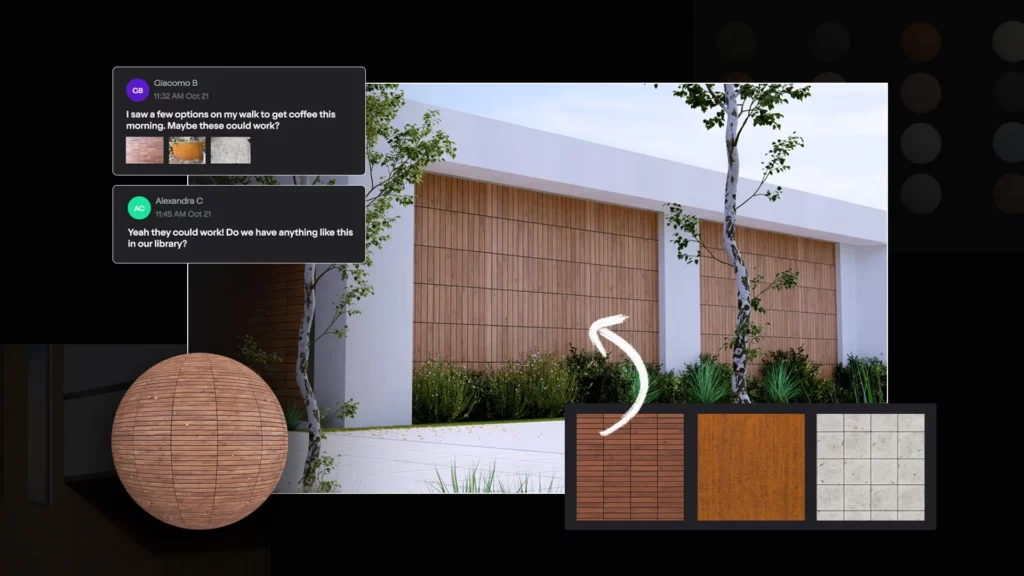
In the world of architectural visualisation, realism has always depended heavily on one critical element: Materials. No matter how detailed your model is, without high-quality materials, your renders will never truly come to life.
Traditionally, creating realistic materials has been a time-consuming and technical process. But with the introduction of AI-powered material generation in Lumion Cloud, that process is being transformed entirely.

This shift is not just an upgrade, it’s a fundamental change in how architects and designers approach visual storytelling.
Why Materials Matter in Visualisation
Materials define how light interacts with surfaces. They determine whether a building feels cold or warm, modern or rustic, conceptual or photorealistic.
Modern rendering engines, including Lumion, rely on Physically Based Rendering (PBR). PBR uses real-world physics to simulate how surfaces respond to light, ensuring consistent and believable results across different lighting conditions.
A complete PBR material typically includes:
- Base Color (Albedo)
- Normal
- Height
- Roughness
- Metalness
While powerful, building these materials manually often requires tools like Adobe Photoshop or Substance 3D Designer, along with a solid understanding of rendering workflows.
The Traditional Workflow: Accurate but Time-Intensive
Before AI integration, creating a custom material meant:
- Finding or photographing a texture
- Cleaning and editing the image
- Generating multiple PBR maps manually
- Importing each map into Lumion
- Tweaking parameters to achieve realism
This process could take anywhere from minutes to hours, especially if high-quality results were required.
For many professionals, this created a bottleneck between design intent and final visual output.
Enter AI: A Smarter Way to Create Materials
With Lumion’s new AI-powered material tools, that workflow is dramatically simplified.
Instead of manually building each map, users can now:
- Upload a single image (e.g. a brick wall, timber floor, or concrete surface)
- Let AI analyze the texture
- Automatically generate a full set of PBR maps
From Real World to Render in Seconds
One of the most exciting aspects of AI-generated materials is the ability to capture real-world environments.
Imagine this workflow:
- You take a photo of a brick wall on-site
- Upload it into Lumion’s AI material generator
- Instantly receive a complete, ready-to-use PBR material
- Apply it directly to your model
The result? A render that reflects actual site conditions, not just approximations from a generic library.
This creates a stronger connection between concept, context, and presentation, something clients immediately notice.
How to generate your own PBR Materials using Lumion Cloud – AI Material Generator
Step 1: Capture or Source Your Material
Step 2: Access Lumion Cloud
Step 3: Upload your Image

Step 4: Drop and Drag or Browse local files to select your image
Step 5: Crop and Prepare the Texture

Step 6: Press Continue and Select Material Type

Step 7: Generate PBR Material – Base Material

Step 8: Once generated, review the base texture. You can tweak properties such as brightness, contrast, or tiling.

Step 9: Generate Full PBR Maps – Select Generate All

Step 10: Save and Reuse
Optional Enhancements: AI Upscaling
To further enhance your material, make use of the AI Upscaler to upscale to 4K or 8K
Enhancing Your Lumion Workflow
AI-generated materials don’t just save time, they enhance flexibility.
You can:
- Rapidly test different finishes during design iterations
- Create unique, project-specific materials
- Build a custom material library over time
- Maintain consistency across multiple visualisations
When combined with Lumion’s real-time rendering capabilities, this allows for faster decision-making and more interactive client presentations.
Bridging Design and Visualisation
For professionals working with BIM tools like Autodesk Revit, this advancement is particularly powerful.
Instead of relying solely on predefined materials, designers can:
- Export their models into Lumion
- Apply AI-generated materials tailored to the project
- Achieve high-end visual quality without leaving their workflow ecosystem
This creates a seamless bridge between technical design and visual storytelling.
The Bigger Picture: A Shift in the Industry
What we’re seeing is more than just a new feature, it’s a shift in mindset.
Rendering tools are evolving from content libraries into intelligent systems that assist users in generating their own content.
AI-powered materials represent:
- Greater creative freedom
- Reduced dependency on external tools
- Faster turnaround times
- More personalised, context-driven designs
In short, the barrier between idea and visualisation is shrinking.
Conclusion
AI-powered PBR materials in Lumion are redefining how we approach architectural visualisation. By simplifying complex workflows and enabling real-world material capture, they empower designers to produce high-quality renders faster than ever before.
As the industry continues to embrace AI, one thing becomes clear: the future of visualisation is not just about realism, it’s about efficiency, accessibility, and creative control.
And with tools like Lumion leading the way, that future is already here.
